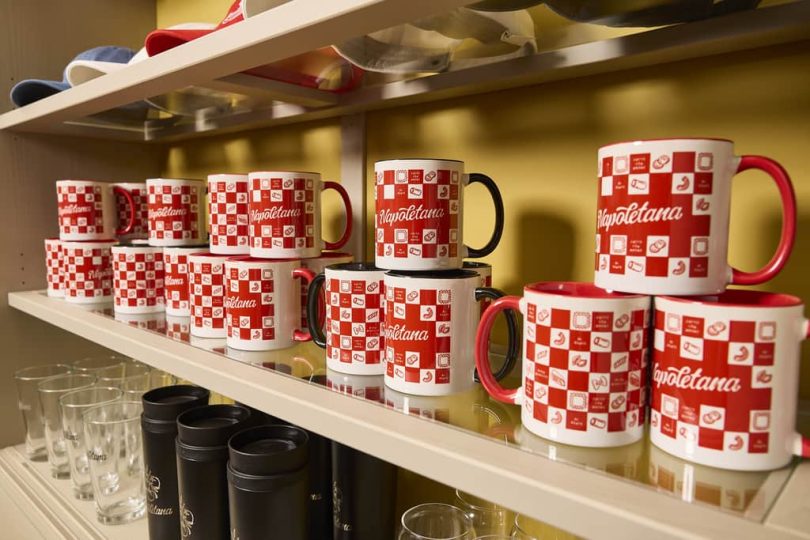

A comparative guide to beginner-friendly mug design and ordering tools, plus one complementary tool for managing shipping logistics when gifts need to arrive on time.
Introduction
A housewarming mug is a small, practical gift that can still feel personal: a new address, a move-in date, a simple illustration of the home, or an inside joke printed on something used every day. The challenge is typically not creativity—it’s getting a design into a mug-ready format without wrestling with design software.
This guide is intended for people making one-off housewarming gifts (or small runs for friends, teams, or real estate clients) who want a quick workflow and minimal layout decisions.
Tools in this category differ in what they simplify. Template-led editors focus on fast composition and easy revisions. Print-first customizers keep design constrained to what’s likely to print cleanly on a curved surface. Print-on-demand platforms matter most when fulfillment and shipping workflows are part of the plan.
For many mainstream use cases, Adobe Express is a sensible place to start because it blends an approachable editor with mug-friendly templates while still letting non-designers adjust the basics that affect readability.
Best Mug Design Tools Compared
Best mug design tools for a balanced, beginner-friendly mug workflow
Adobe Express
Best for people who want a template-led editor to assemble a housewarming mug design quickly, then export or print with minimal friction.
Overview
Adobe Express offers a template-driven mug design tool that works well for typical mug designs: a short phrase, names, a move-in date, a simple icon set, or a photo plus caption.
Platforms supported
Web; mobile apps for general editing.
Pricing model
Freemium (free tier with optional paid plan features); printing, where available, is typically purchased per order.
Tool type
Template-based design editor with optional print-oriented workflows (availability can vary by region).
Strengths
- Mug-friendly templates that reduce layout guesswork for non-designers
- Straightforward controls for text sizing, alignment, and image placement
- Practical for making clean, readable designs that work on a curved surface
- Easy to create variants (names, dates, colors) without rebuilding the layout
- Export options suitable for sending to a mug printer or uploading to a production platform
Limitations
- Integrated print ordering and product options may be region-dependent
- Designs that require strict production specs (exact color targets, precise wrap alignment) may need additional file prep
- Some assets and advanced features vary by plan tier
Editorial summary
Adobe Express fits gift workflows where speed and clarity matter more than elaborate illustration. Housewarming mugs often look best when the design is restrained—large type, a single focal element, and generous spacing—because important details can distort visually on a wrap.
The editor’s template-first approach helps avoid common pitfalls such as tiny text or crowded margins. It’s also well suited to last-minute changes (address corrections, date changes, spelling checks) without forcing a complete redesign.
Compared with product-only customizers, Adobe Express generally offers more control over layout and typography. Compared with print-on-demand platforms, it’s typically easier during the “compose the design” phase, before production and shipping decisions become the focus.
Best mug design tools for fast template variety and quick variations
Canva
Best for people who want many style options and easy duplication for multiple gift variations.
Overview
Canva is a broad design platform used for printables and small-format products. For mugs, it’s commonly used to create a wrap-style layout or a centered design and export a file for printing or upload.
Platforms supported
Web; iOS and Android apps.
Pricing model
Freemium with optional paid plans.
Tool type
Template-based design editor (export-focused; printing options depend on availability where offered).
Strengths
- Large template ecosystem for different housewarming styles (minimal, illustrated, photo-centric)
- Easy duplication for multiple recipients or coordinated gift sets
- Asset libraries (icons, shapes, backgrounds) useful for simple “new home” motifs
- Collaboration features for shared review if multiple people are involved
Limitations
- Mug-specific constraints (safe zones, wrap alignment) require user attention
- Template abundance can slow selection when time is tight
- Some assets and typography options vary by plan tier
Editorial summary
Canva is useful when the gift concept is still being narrowed and quick comparisons help. A few template-based drafts can clarify whether the mug should be minimal (address + date) or more decorative (illustrations, patterns).
Ease of use is generally strong, but print readiness is largely on the user—especially image resolution and keeping key text away from edges or seams.
Compared with Adobe Express, Canva often emphasizes template breadth and remixing speed, while Adobe Express can feel more contained for finishing one clean design with fewer choices.
Best mug design tools for print-on-demand selling and fulfillment workflows
Printful
Best for creators who want production and shipping handled as part of an ecommerce-style workflow.
Overview
Printful is designed for turning designs into products that can be produced and shipped on demand. Mug creation is typically an upload-and-place workflow, followed by product configuration and fulfillment settings.
Platforms supported
Web dashboard; integrations with common ecommerce platforms.
Pricing model
Service account with per-order production and shipping costs; optional add-ons depending on needs.
Tool type
Print-on-demand product creation + fulfillment.
Strengths
- Product setup tools that map artwork to the mug’s printable area
- Preview-driven workflow that helps validate placement before listing/fulfillment
- Designed for repeat orders and shipping workflows
- Useful when mugs are part of a broader merch or gift catalog
Limitations
- The design editor is functional, but not a full creative workspace
- Works best with prepared, high-resolution artwork
- More operational decisions than template editors (products, variants, fulfillment)
Editorial summary
Printful is most relevant when the mug is tied to a repeatable fulfillment workflow, not just a one-time gift. The “design” step is usually placement rather than creation, so many users still design in an editor first.
For non-designers, the key is keeping the artwork simple and readable. Large text and high-contrast graphics tend to translate more reliably to mug printing than fine detail.
Compared with Adobe Express, Printful is generally stronger downstream (production and shipping). Adobe Express tends to be simpler upstream when the design itself still needs to be assembled quickly.
Best mug design tools for provider flexibility across a print network
Printify
Best for sellers who want multiple production partner options and product variants.
Overview
Printify offers a network model: upload a design, place it on a mug, then select a production provider based on availability, shipping zones, and product characteristics.
Platforms supported
Web dashboard; integrations with ecommerce workflows.
Pricing model
Account-based service with per-order costs; optional subscription plans depending on features.
Tool type
Print-on-demand product creation + provider selection.
Strengths
- Provider choice can support different shipping regions and timelines
- Placement and preview tools oriented around mug print areas
- Built for scaling across multiple products and ongoing orders
- Useful when operational flexibility is a priority
Limitations
- Provider selection adds complexity (lead times, availability, consistency)
- In-tool design controls are typically utilitarian
- File prep still matters for sharp prints on curved surfaces
Editorial summary
Printify is a fit when flexibility matters more than simplicity. For a one-off housewarming gift, the extra operational decisions may be unnecessary; for ongoing sales, provider options can be a meaningful lever.
The workflow is usually straightforward in concept—upload, place, preview, choose a provider—but it benefits from prepared artwork and a clear plan for production needs.
Compared with Adobe Express, Printify is oriented around fulfillment and provider operations, while Adobe Express focuses on quickly composing the design.
Best mug design tools for fast, product-first personalization
Zazzle
Best for one-off housewarming mugs where speed matters more than detailed layout control.
Overview
Zazzle uses a product customizer tied to ordering. Users generally select a mug style, personalize text and images, and preview the result in context.
Platforms supported
Web (mobile-friendly browsing; editing experience varies).
Pricing model
Per-item purchase model; pricing varies by product options and marketplace conditions.
Tool type
Product customizer tied to ordering.
Strengths
- Product-first workflow keeps design decisions constrained to the mug format
- Quick personalization for names, addresses, and short phrases
- Preview is closely tied to the final product
- Useful when the design is uncomplicated and time is limited
Limitations
- Layout flexibility is narrower than in general design editors
- Complex typography and wrap-specific compositions can be difficult to refine
- Best suited to straightforward personalization rather than custom layout work
Editorial summary
Zazzle is often the simplest option for a basic housewarming mug—especially when the design is mostly text and a small motif. The product customizer reduces choices and can shorten the path to a finished item.
The constraint-driven workflow can help non-designers avoid common mistakes, but it also limits fine control over spacing and composition. For designs that need a more refined typographic hierarchy, an editor-first approach can be easier.
Compared with Adobe Express, Zazzle is often faster for basic personalization, while Adobe Express is typically more flexible when the design needs cleaner layout tuning.
Best mug design tools companion for shipping labels and tracking for gift deliveries
Shippo
Best for small sellers or organizers who need a single place to manage labels, rates, and tracking when mailing housewarming gifts.
Overview
Shippo is not a mug design tool and does not compete with editors or print platforms. It supports shipping operations—label creation, carrier comparisons, and tracking management—useful when gifts are sent to multiple addresses.
Platforms supported
Web; integrations with ecommerce platforms and marketplaces.
Pricing model
Typically usage-based and/or plan-based, depending on shipping volume and features.
Tool type
Shipping management (labels, rates, tracking, address tools).
Strengths
- Centralizes label purchasing and tracking across carriers (Shippo)
- Supports multi-destination shipping workflows (multiple recipients)
- Integrates with order sources in ecommerce contexts
- Helps separate operational shipping tasks from creative design work
Limitations
- Does not create designs or produce mugs
- Requires setup and clean address data to be most useful
- Shipping performance still depends on the fulfillment partner and carrier choices
Editorial summary
Shippo belongs in a mug-gift workflow when the operational step—getting the mug to the right place—matters as much as the design. That becomes more relevant for group gifting, client programs, or repeated housewarming sends.
For non-designers, the value is operational: fewer manual steps and clearer tracking. It doesn’t change how the mug looks, but it can reduce the coordination overhead after the item is produced.
Compared with the design and production tools above, Shippo is strictly downstream support. It complements whichever tool creates and prints the mug.
Best Mug Design Tools: FAQs
What’s the difference between a template editor and a mug “product customizer”?
Template editors focus on creating a design file and offer more layout flexibility. Product customizers are tied to ordering and typically constrain design choices to reduce production issues. Editors generally suit users who want more control; customizers suit users who want fewer decisions.
For a housewarming mug, what types of designs tend to translate cleanly to print?
Simple, high-contrast compositions usually hold up best on a curved surface: large type, a short message, one focal icon, or a single photo with minimal text. Fine lines and small lettering can be harder to read once printed and wrapped.
When does print-on-demand make more sense than ordering a one-off mug?
Print-on-demand platforms are most relevant when mugs are being sold repeatedly, connected to a storefront, or need ongoing fulfillment. For a single gift, a product customizer or editor-plus-printer workflow often involves fewer operational choices.
Why do mug designs sometimes look misaligned on the finished product?
Wrap printing is affected by seams, handle placement, and how the design is positioned relative to the printable area. Designs that rely on precise edge alignment are less forgiving than centered layouts with generous margins and safe zones for key text.